Friction 1.0.0-rc.3
Introducing the third release candidate for Friction 1.0.0.
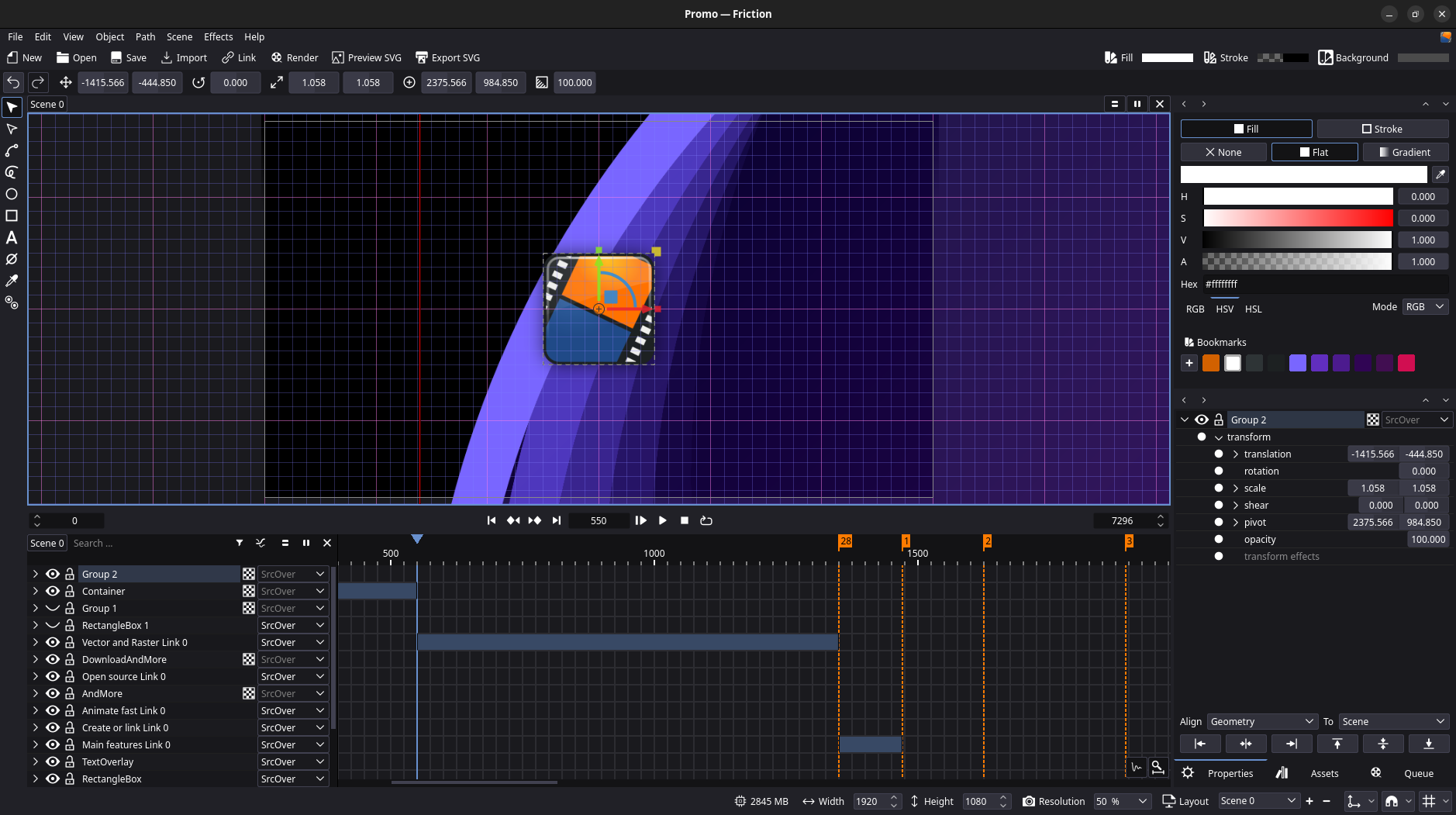
This release introduces significant user experience (UX) improvements and several important stability fixes.
While introducing new features during the third release candidate deviates from our standard release policy, we’ve decided to bundle a few ‘must-have’ features into RC3 because we know they’ll make a huge difference in your workflow.
Changes
Gizmos, Grid and Snapping!
We are excited to introduce a suite of powerful new workflow tools.
Gizmos
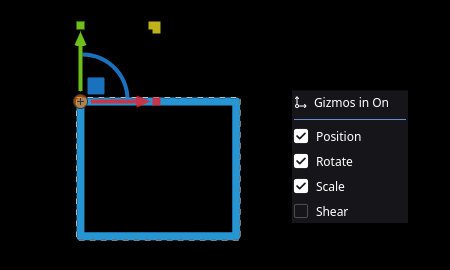
This release introduces Gizmos (interactive transform handles). Gizmos allow you to manipulate objects directly on the canvas with dedicated handles for Position, Rotation, Scale, and Shear. You can toggle specific handles and customize their behavior using the Gizmo menu in the bottom-right toolbar.
Grid
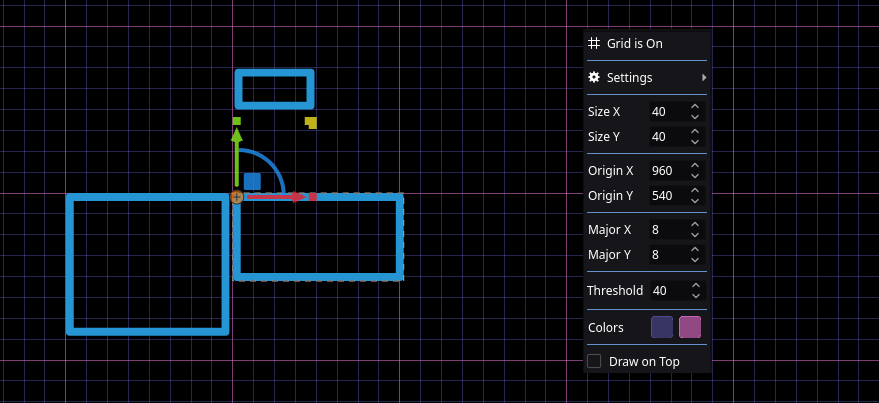
The new Grid system helps simplify object alignment and layout organization. Use it to visualize spacing and ensure consistent placement across your project. Configuration options, including grid size and visibility, are available via the Grid button in the bottom-right toolbar.
Snapping
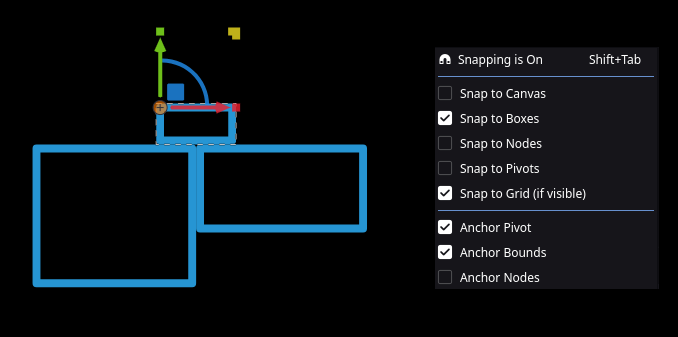
Precision is now easier than ever with Snapping. You can now snap objects to the Canvas, Boxes, Nodes, Pivots, or the Grid. Additionally, we’ve added anchor support for Pivots, Bounds, and Nodes to give you total control over how elements lock into place.
Quick Controls:
Shift+Tab: Toggle snapping on/offShift(Hold while moving): Temporarily bypass snappingCtrl(Hold while moving): Force snapping to active targets
UI/UX
- Fixed a clamping issue in the resolution selector and added more default resolutions
- Added Undo/Redo support for Marker/In/Out changes
- Null objects are now only drawn when visible
- Note: This currently does not apply if the object is in a group/layer. A fix is planned for a future update
- Added “Bookmark Color” to all relevant menus
- Fixed a bug where deleted bookmark colors were not properly removed from the project
- The timebar is now placed at the first frame by default when creating a new scene
- Added a memory (RAM) usage display to the status bar
- Corrected frame-to-seconds calculations in the New/Edit Scene dialog
- Improved timeline and graph zooming behavior
- The timeline range now automatically fits to the scene on load
- Timeline: on resume preview check frame state
Nodes
- Added new “Remove Node” action
- Added new “Split Nodes” action
- Added new “Set First Node” action
- Added new “Reverse Nodes Order” action
SVG
- Ensured
rxandryvalues for circles are always positive on export - Added optional support for SVG 1.1 compatible colors (see export dialog)
- New custom SVG optimizer (see “Optimize for Web” option in export dialog)
- Replaces external SVGO application
Effects
- Parent effect now supports influence
- Track effect: Don’t change rotation if target changes
- Improved stability of (GLSL) shaders
- Fixed a crash tied to visibility range and motion blur
Renderer
Added proper support for constant frame rate (CFR) in exported videos. This significantly improves compatibility with NLEs (video editors) like Kdenlive.
macOS
- Fixed a crash during render by correctly reading the app’s memory (RAM) usage
- Added support for Universal Binaries (Apple Silicon ARM64 & Intel x86_64)
- The minimum supported version is now macOS 11.0 (Big Sur)
- New issue: exported ProRes with alpha is not compatible with Apple Silicon decoders
macOS support is still experimental.
Linux
- Fixed missing/broken application icon in the XFCE desktop environment.
- Support server side decorations on COSMIC desktop environment.
SDK
Updated several third-party libraries to improve stability and address security.
Support
Notes
- See RC 2 release notes for more information regarding changes for v1.0
- See RC 1 release notes for more information regarding changes for v1.0
- See Beta 2 release notes for more information regarding changes for v1.0
- See Beta 1 release notes for more information regarding changes for v1.0
Downloads


Published 31 December 2025.
 Discuss this release.